

Startup Finance Kit (All 6 Spreadsheets)


Startup Finance Kit (All 6 Spreadsheets)
- Instant download
- One-time payment
- Excel + Google Sheets
- Video guide included
If the file doesn't work or isn't as described, we fix it or refund you within 14 days. Refund policy
Every money question a startup founder has, answered in six simple spreadsheets. One price.
Bought one by one, the six tools cost six times the single price. The kit gives you all six for less than the price of five.
What's included
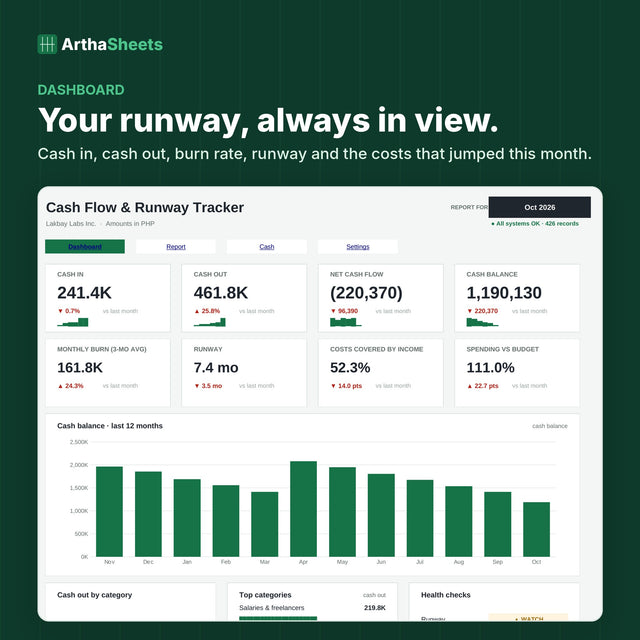
- Cash Flow & Runway Tracker: Know your cash, your monthly burn, and exactly how many months of runway you have left.
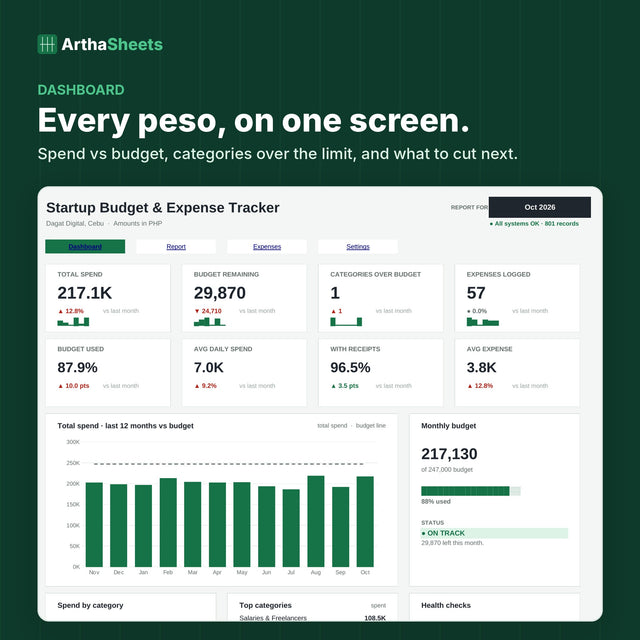
- Startup Budget & Expense Tracker: See where every peso goes and catch overspending before it hurts your cash.
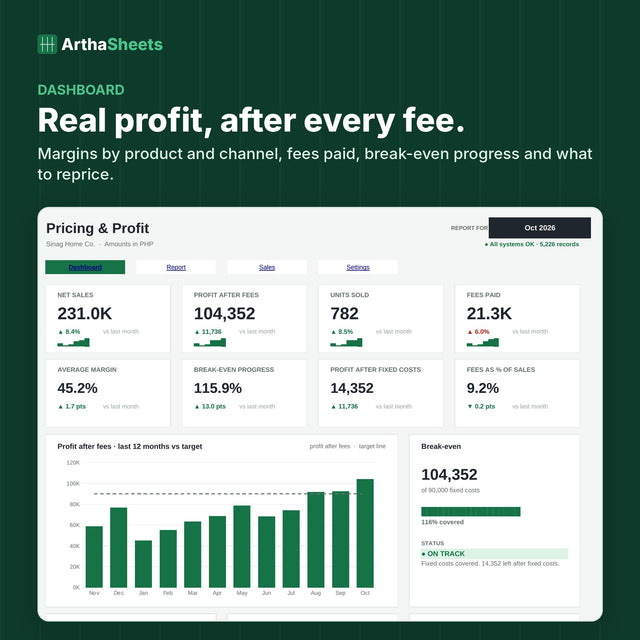
- Pricing & Profit Margin Calculator: Your real profit per product and per channel, after every cost and platform fee.
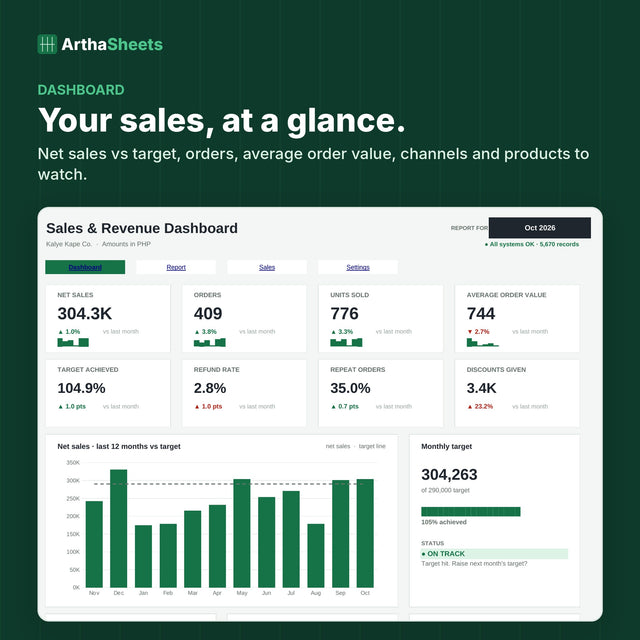
- Sales & Revenue Dashboard: See what sold, where it sold, and whether you are on track to hit your monthly target.
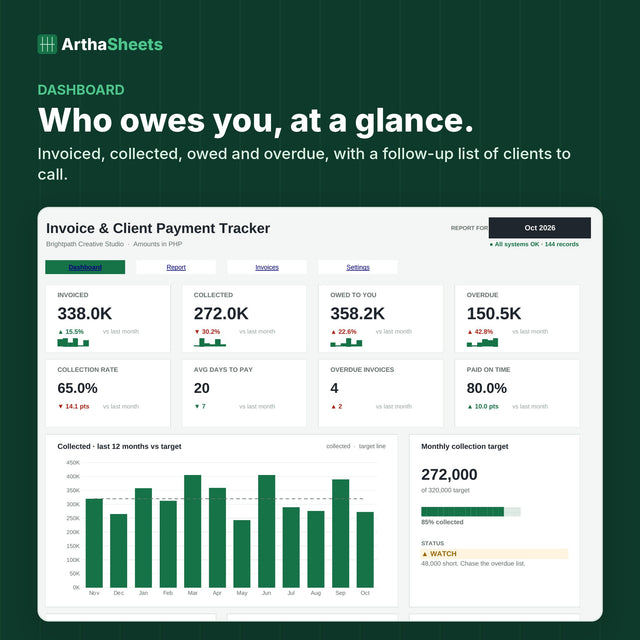
- Invoice & Client Payment Tracker: Know who owes you, what is overdue, and how fast each client really pays.
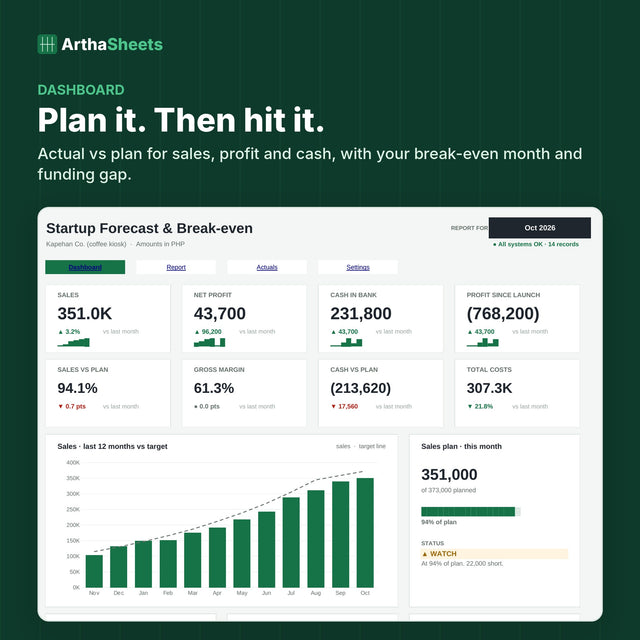
- 12-Month Forecast & Break-even Planner: Plan your sales, costs and cash, see your break-even month, then track actual vs plan.
Why founders love it
- Every file looks and works the same way: green columns in, answers out
- Dashboards, monthly reports and alerts tell you what to do next
- Protected formulas and row checks, so the files are hard to break
- Start with whatever hurts most: runway, expenses, pricing, sales, invoices or your forecast
Works with
- Microsoft Excel 2016, 2019, 2021 and 365 (Windows and Mac)
- Google Sheets (upload the files to Google Drive and open them with Google Sheets)
- No macros, no add-ons, no subscription
What you get
- Instant download after checkout (one .zip file with all 6 .xlsx files)
- Demo data in every file so you can see how it works (clear it before you start)
- A Start Here guide with setup steps in every file
- Step-by-step video guides for all 6 files: short videos with captions and printable PDFs, sent with your download
- One-time payment. The files are yours to keep
Amounts are in PHP by default. Change one setting to use any currency. This is a digital product. Nothing is shipped.
Inside the file
Built like software. Simple as a spreadsheet.
Type in the green columns. The dashboard, monthly report and alerts update by themselves.
- Dashboard8 KPI cards and charts on one screen.
- Monthly reportThis month vs last month, ready to print.
- Alerts and action listKnow what needs attention today.
- Hard to breakProtected formulas and row checks.

How it works
Set up once. Five minutes a day.
Download and set up
Open the Start Here tab, add your business details and clear the demo data. About 10 minutes.
Type in the green columns
Log your numbers as they happen. Dropdowns and checks stop mistakes. Everything else is automatic.
Act on clear answers
Your dashboard and monthly report show what changed and what to do next.
A step-by-step video guide comes with your download.
Short videos with captions walk you through setup and daily use, plus a printable PDF. The link is in your order confirmation and download emails.
What's inside
Six tools. One way of working.
Questions
Before you buy, quick answers.
Something else? Email us at getstarted@geotechengine.com. A real person replies within 1 to 2 business days.
Is this a subscription?
No. You pay once and the file is yours to keep. No monthly fees, no account.
How do I get the file?
Right after checkout, the download link appears on your order page and in your email.
Does it work on Mac and Google Sheets?
Yes. It works in Excel 2016 or newer on Windows and Mac, and in Google Sheets. No macros or add-ons.
I'm not an accountant. Will I understand it?
Yes. You only type in the green columns. The video guide and the Start Here tab walk you through setup step by step.
Can I use my own currency?
Yes. Amounts are in PHP by default. Change one setting to use any currency.
What if the file doesn't work?
Email us within 14 days. If the file doesn't work or isn't as described, we fix it or refund you in full.